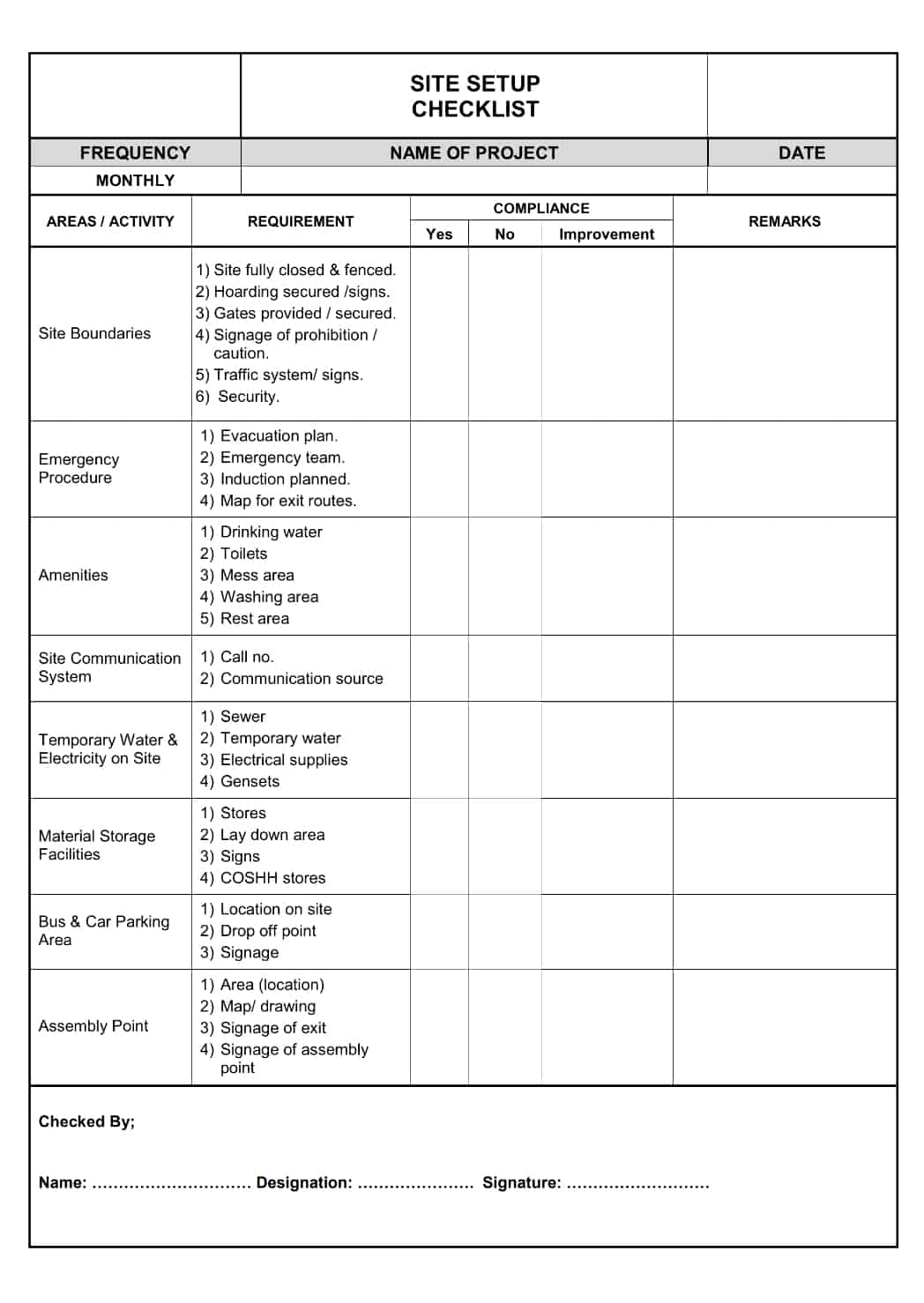
How to Create a Construction Site Checklist
The Ultimate Guide to Creating a Construction Site Checklist for WordPress Success
Crafting a comprehensive construction site checklist is paramount for any project manager aiming for efficiency and safety. A well-structured checklist ensures that all critical tasks are addressed, potential hazards are identified, and project milestones are met on time and within budget. For WordPress users managing construction projects, integrating such a checklist into their workflow can significantly streamline operations. This article will guide you through the essential components and best practices for creating a construction site checklist tailored for WordPress.
Why You Need a Construction Site Checklist
A construction site checklist serves as a vital tool for maintaining order and control over complex projects. It provides a systematic way to track progress, enforce quality standards, and ensure compliance with all relevant regulations. Without a checklist, it’s easy for crucial steps to be overlooked, leading to delays, cost overruns, or even safety incidents.
Key Components of an Effective Checklist
When developing your construction site checklist, consider the various phases of a construction project. Each phase requires specific checks to ensure everything is proceeding as planned.
* **Pre-Construction:** This phase involves all preparatory work before physical construction begins.
* Permits and Approvals
* Site Surveys and Geotechnical Reports
* Material Procurement and Delivery Schedules
* Contractor and Subcontractor Briefings
* Site Safety Plan Development
* **During Construction:** This is the main phase where the physical building takes place.
* Foundation and Structural Checks
* Plumbing, Electrical, and HVAC Inspections
* Material Quality Control
* Work Progress Monitoring
* Daily Safety Briefings and Equipment Inspections
* **Post-Construction:** This phase focuses on finishing touches and project handover.
* Final Inspections and Punch Lists
* Client Walkthrough and Sign-off
* As-Built Drawings
* Warranty Documentation
* Site Clean-up and Restoration
Tailoring Your Checklist for WordPress Integration
Leveraging WordPress allows for dynamic and accessible checklist management. Plugins can transform a static list into an interactive tool.
WordPress offers a flexible platform to host and manage your construction site checklists, making them accessible to your entire team, anywhere, anytime.
You can use plugins like WP Project Manager, Asana, or even custom post types to create and assign checklist items. This ensures accountability and real-time updates.
Creating Your Construction Site Checklist in WordPress
The process of creating a WordPress-based checklist involves selecting the right tools and structuring your content effectively.
Choosing the Right WordPress Tools
Several WordPress plugins can help you create and manage checklists. Project management plugins often include checklist or task management features. Alternatively, you could use a simple page or post and format it as a checklist using basic HTML or a page builder.
Consider the following features when selecting a plugin:
* Task Assignment and Due Dates
* Progress Tracking
* File Attachments
* Collaboration Features
* Mobile Accessibility
A well-chosen tool will enhance team communication and project visibility.
Structuring Your Checklist Content
Organize your checklist logically. Grouping tasks by phase, trade, or location can make it easier to navigate. Use clear and concise language for each checklist item.
Here’s a sample structure for a daily site inspection checklist:
| Time | Item to Inspect | Status (Pass/Fail/NA) | Notes/Corrective Action | Inspector |
| :——– | :———————————- | :——————– | :———————- | :——– |
| 8:00 AM | Site Access and Security | | | |
| 8:15 AM | General Site Housekeeping | | | |
| 8:30 AM | Safety Equipment Availability | | | |
| 9:00 AM | Work Zone Safety Compliance | | | |
| 10:00 AM | Material Storage and Condition | | | |
| 11:00 AM | Active Work Area Safety | | | |
**Factoid:** Implementing a daily safety checklist can reduce workplace accidents by up to 20%.
Best Practices for Checklist Use
Simply creating a checklist isn’t enough; its effective implementation is key to its success. Regular review and updates ensure it remains relevant and useful.
* **Assign Responsibility:** Each checklist item should have a designated person responsible for its completion or verification. This fosters accountability.
* **Regular Audits:** Conduct regular audits to ensure the checklist is being used correctly and that the information recorded is accurate.
* **Feedback Loop:** Encourage site personnel to provide feedback on the checklist. Are there items missing? Are some items unclear?
* **Training:** Ensure all team members understand the purpose and use of the checklist.
A dynamic checklist, integrated with your WordPress site, can become a central hub for project communication and quality control.
FAQ: Construction Site Checklists
**Q1: How often should a construction site checklist be updated?**
A1: Checklists should be reviewed and updated regularly, at least quarterly, or whenever project scope, regulations, or site conditions change significantly.
**Q2: Can a construction site checklist help with budgeting?**
A2: Yes, by ensuring tasks are completed efficiently and preventing costly errors or rework, a checklist indirectly contributes to budget adherence.
**Q3: What are the most critical items to include in a pre-construction checklist?**
A3: Critical items include obtaining all necessary permits, conducting thorough site surveys, finalizing material orders, and developing a comprehensive safety plan.
In conclusion, creating and effectively using a construction site checklist is a fundamental practice for successful project management. By leveraging platforms like WordPress, you can enhance the accessibility, interactivity, and overall utility of your checklists. This systematic approach ensures that every aspect of the construction process, from initial planning to final handover, is meticulously managed. Ultimately, a robust checklist system contributes to safer work environments, higher quality builds, and greater client satisfaction.
Author