Freeview on Your Smart TV: A Comprehensive Guide
Can You Get Freeview on a Smart TV? Your Comprehensive Guide
The advent of smart TVs has revolutionized home entertainment, offering a seamless integration of traditional television with internet-based services. Many users wonder if this technological leap includes access to their favorite free-to-air channels, specifically Freeview. The good news is that, in most cases, you absolutely can get Freeview on a smart TV, though the method might differ slightly from older setups. This guide will walk you through the various ways to enjoy Freeview, ensuring you don’t miss out on a world of free entertainment simply because you upgraded your television.
Understanding Freeview and Smart TVs
Freeview is the primary digital terrestrial television service in the UK, providing a wide array of free channels without the need for a subscription. Smart TVs, on the other hand, are internet-connected televisions that allow access to streaming services, apps, and on-demand content. The integration of these two is more common and straightforward than you might think.
Methods for Accessing Freeview on a Smart TV
There are several ways to get Freeview on your smart TV, depending on the model of your TV and your geographical location. Let’s explore the most common methods:
- Built-in Freeview Tuner: Many smart TVs sold in the UK come equipped with a built-in Freeview tuner. This is the simplest and most common method. If your TV has this feature, all you need to do is connect a suitable aerial, tune your TV, and you’ll have access to all available Freeview channels.
- Freeview Play: This is an enhanced version of Freeview that is increasingly integrated into smart TVs. Freeview Play combines live TV with on-demand services from the UK’s leading broadcasters, all accessible through your TV’s smart interface. It allows you to scroll back through the TV guide and watch programs you’ve missed.
- External Freeview Box: If your smart TV doesn’t have a built-in Freeview tuner, or if you’re looking for additional features or a more robust Freeview experience, you can easily connect an external Freeview set-top box. These boxes connect to your TV via HDMI and to an aerial, effectively bringing Freeview to any television with an HDMI input.
Freeview Play: The Future of Freeview
Freeview Play represents a significant upgrade for Freeview users, offering a more integrated and user-friendly experience. It’s designed to be intuitive, consolidating live TV and catch-up services into a single platform. This means you can browse a unified TV guide that shows what’s on now and what’s coming up, with the ability to access on-demand content directly from the guide.
Freeview Play is available on a wide range of smart TVs from leading manufacturers.
To use Freeview Play, you typically need a smart TV that supports it, a good aerial connection, and an internet connection. The setup is generally straightforward, often involving a simple guided process on your TV.
Smart TV Apps for Freeview Channels
Some smart TVs allow you to download individual apps for specific Freeview channels or broadcasters. While this doesn’t provide the full Freeview experience in the traditional sense, it can be a convenient way to access the on-demand content from your favorite free channels directly through your TV’s app store.
| Method | Requirements | Ease of Use |
|---|---|---|
| Built-in Freeview Tuner | Aerial, compatible TV | Very Easy |
| Freeview Play | Aerial, compatible smart TV, internet | Easy |
| External Freeview Box | Aerial, TV with HDMI, set-top box | Easy |
Troubleshooting Common Issues
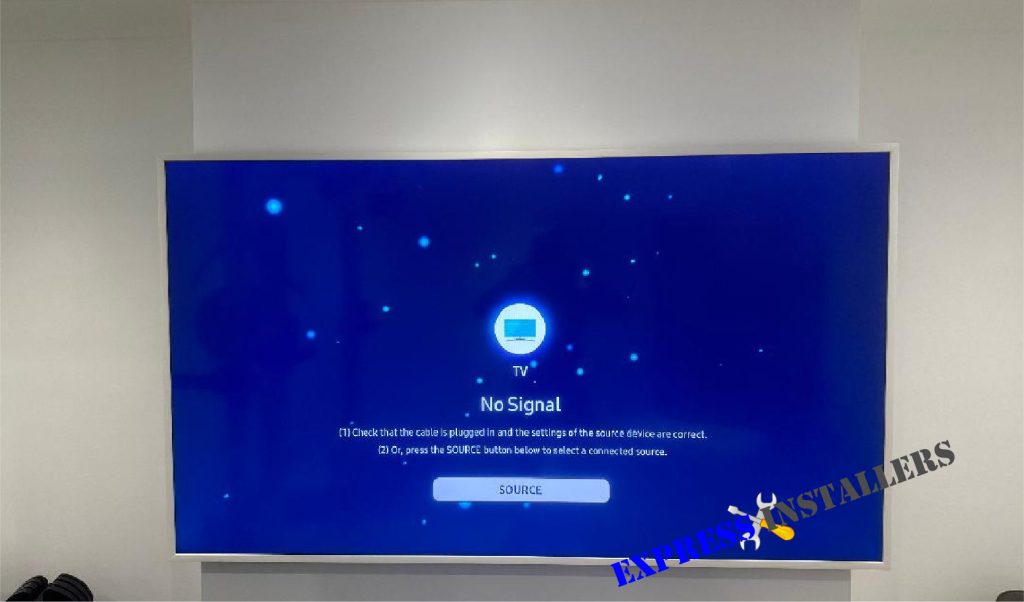
While getting Freeview on a smart TV is generally hassle-free, you might occasionally encounter issues. Signal problems are common, especially if your aerial is old or not positioned correctly. Ensure your aerial is suitable for digital terrestrial television and is pointing towards your nearest transmitter.
Poor signal can result in pixelated images or a complete loss of channels.
If you’ve retuned your TV and are still experiencing problems, it might be worth checking the cable connections or consulting your TV’s manual for specific troubleshooting steps. Sometimes, a simple factory reset of the TV can resolve software-related glitches that might be affecting Freeview reception.
H3 for Keyword Integration
Ensuring your smart TV is set up correctly for Freeview is key to maximizing your viewing options. Many consumers overlook the importance of a quality aerial, assuming the TV’s capabilities are the sole determinant of channel availability. However, a robust signal is paramount for a clear and consistent Freeview experience.
Frequently Asked Questions about Freeview on Smart TVs
Can I watch Freeview without an aerial?
No, for traditional Freeview and Freeview Play, an aerial is essential to receive the broadcast signal. While some smart TV apps offer on-demand content without an aerial, live Freeview channels require an aerial connection.
Do I need an internet connection to watch Freeview on my smart TV?
For standard Freeview with a built-in tuner or an external box, an internet connection is not strictly necessary. However, for Freeview Play and its enhanced on-demand features, a stable internet connection is required.
How do I tune my smart TV to get Freeview channels?
Tuning your smart TV typically involves navigating to the settings menu, selecting “Channels” or “Tuning,” and initiating an automatic channel scan. Your TV will then search for available Freeview signals. Always refer to your TV’s user manual for precise instructions.
Conclusion
In conclusion, the answer to whether you can get Freeview on a smart TV is a resounding yes. Whether your TV has a built-in tuner, supports Freeview Play, or requires an external set-top box, a wealth of free entertainment is readily accessible. By understanding the different methods and ensuring you have the necessary equipment, such as a suitable aerial and, for some features, an internet connection, you can easily enjoy all that Freeview has to offer. Don’t let the “smart” in smart TV deter you from accessing these beloved free channels; embrace the convenience and variety that modern technology brings to traditional broadcasting. Enjoy your expanded viewing options!
Author